Team Redemption Center
Your ChatGPT Team seat
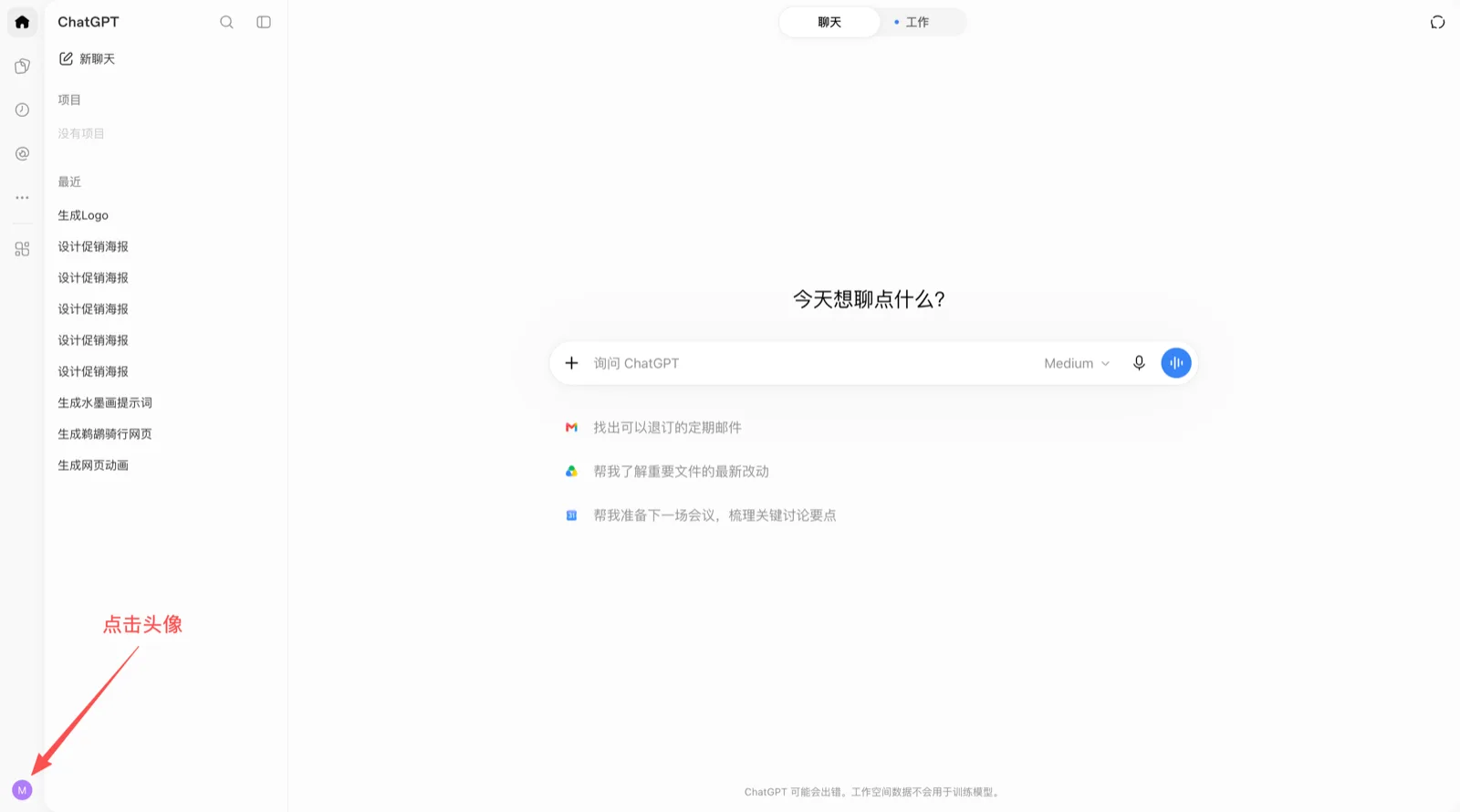
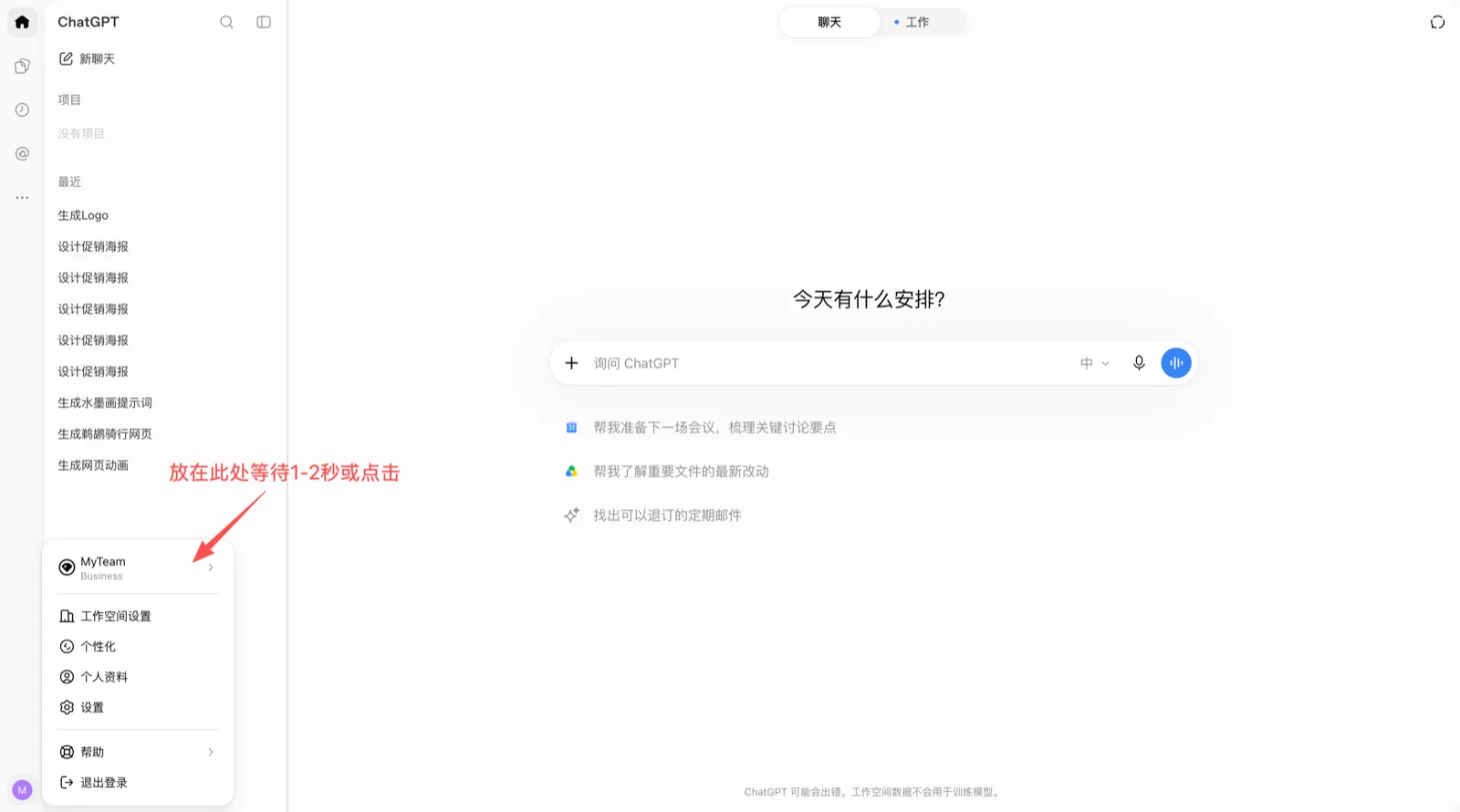
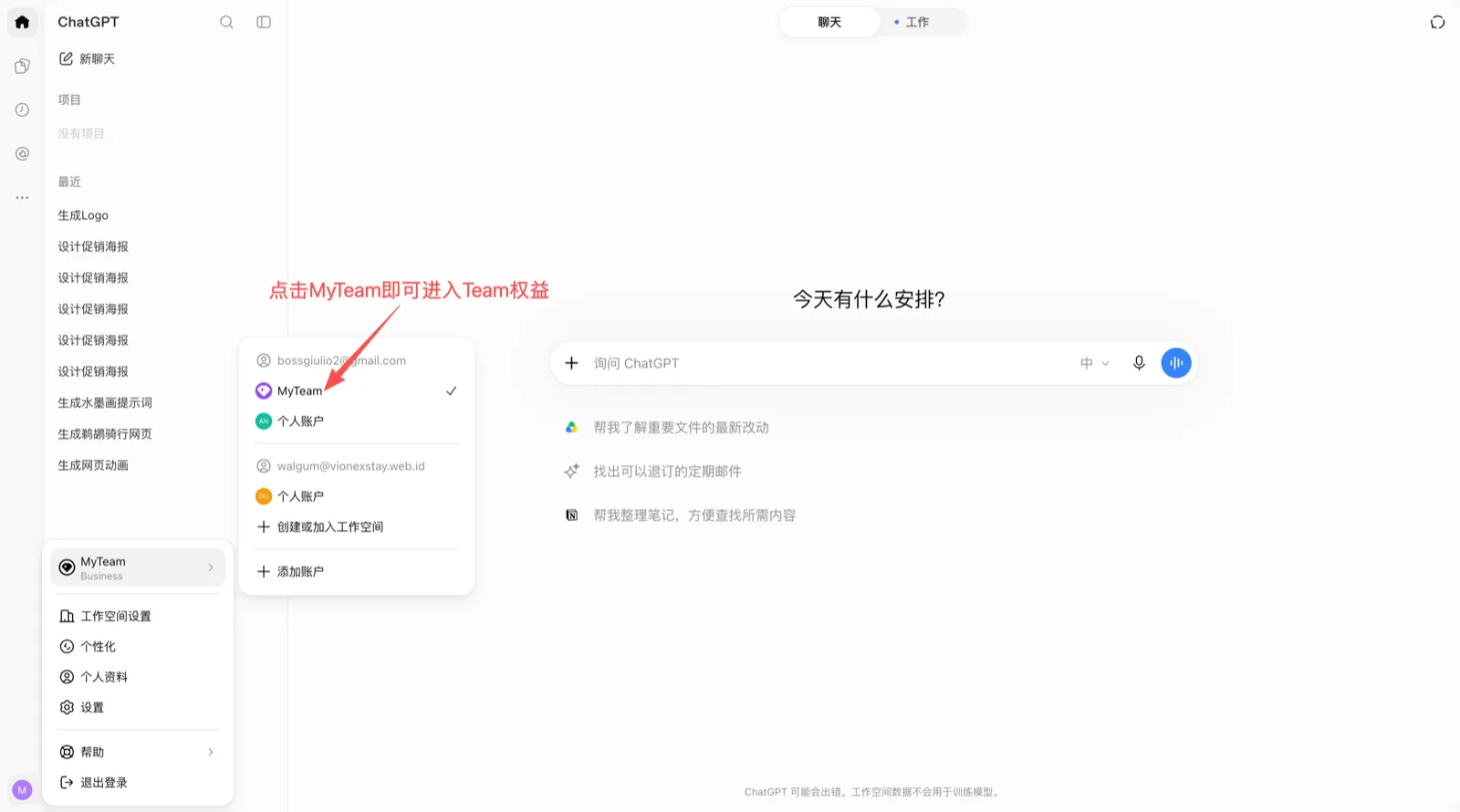
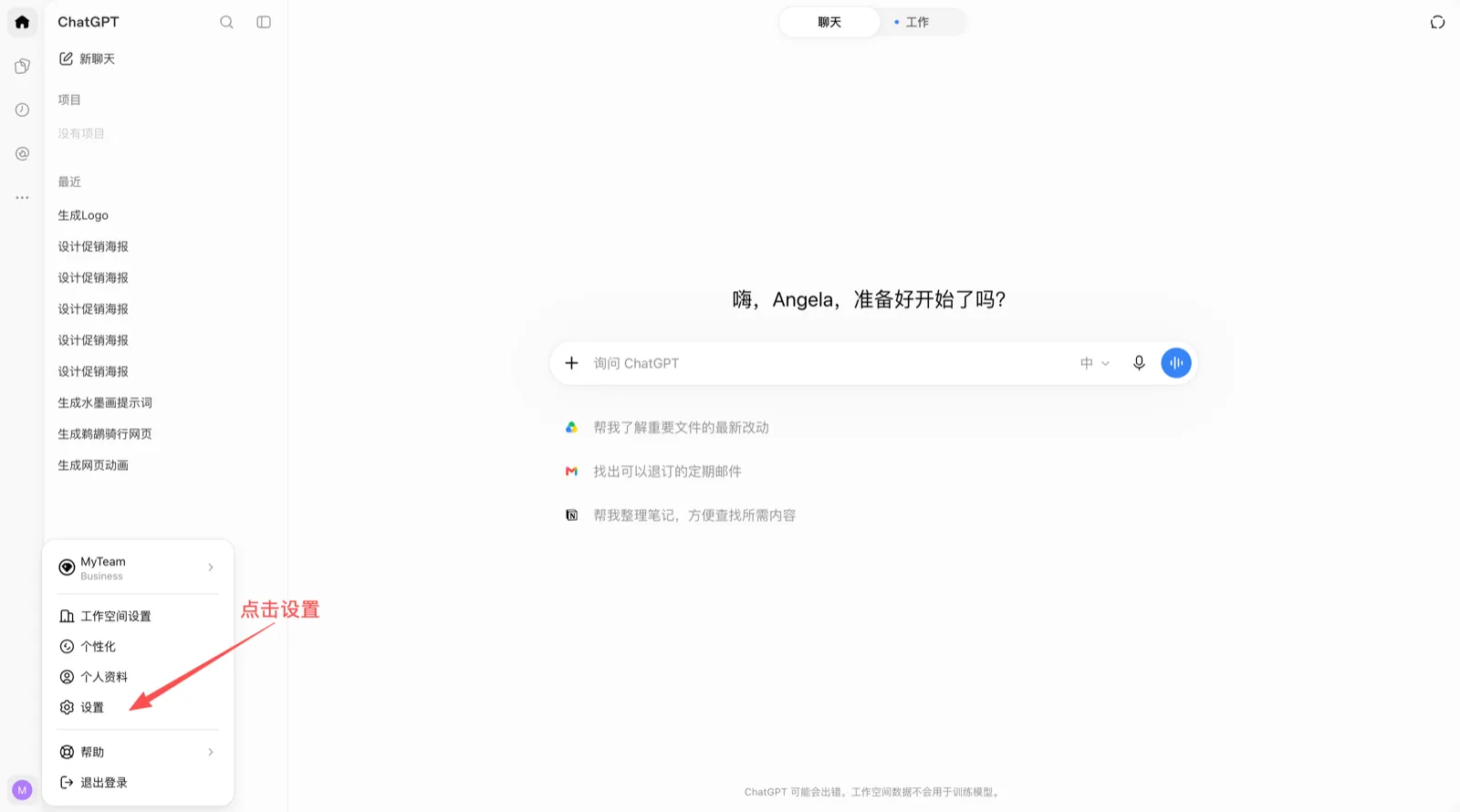
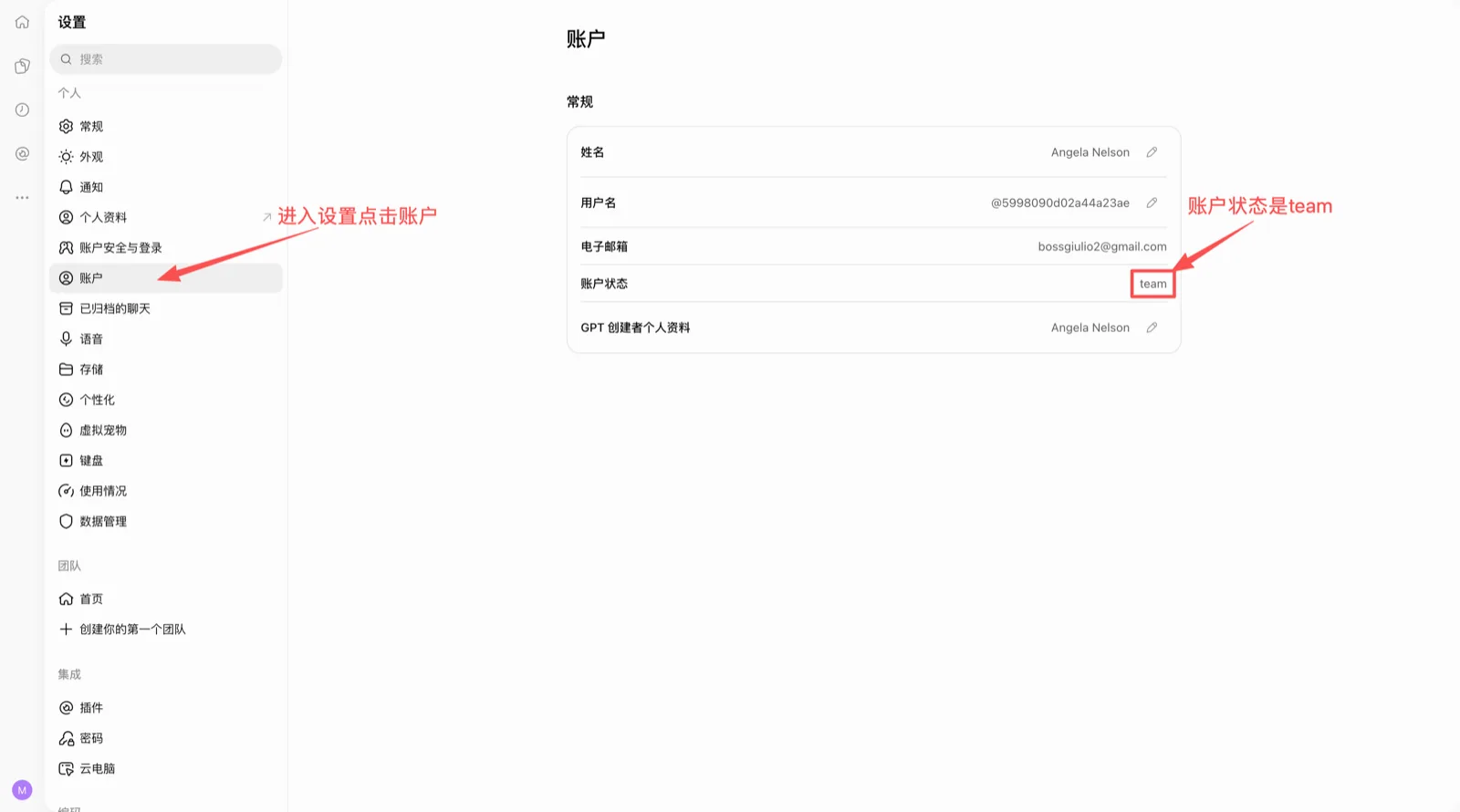
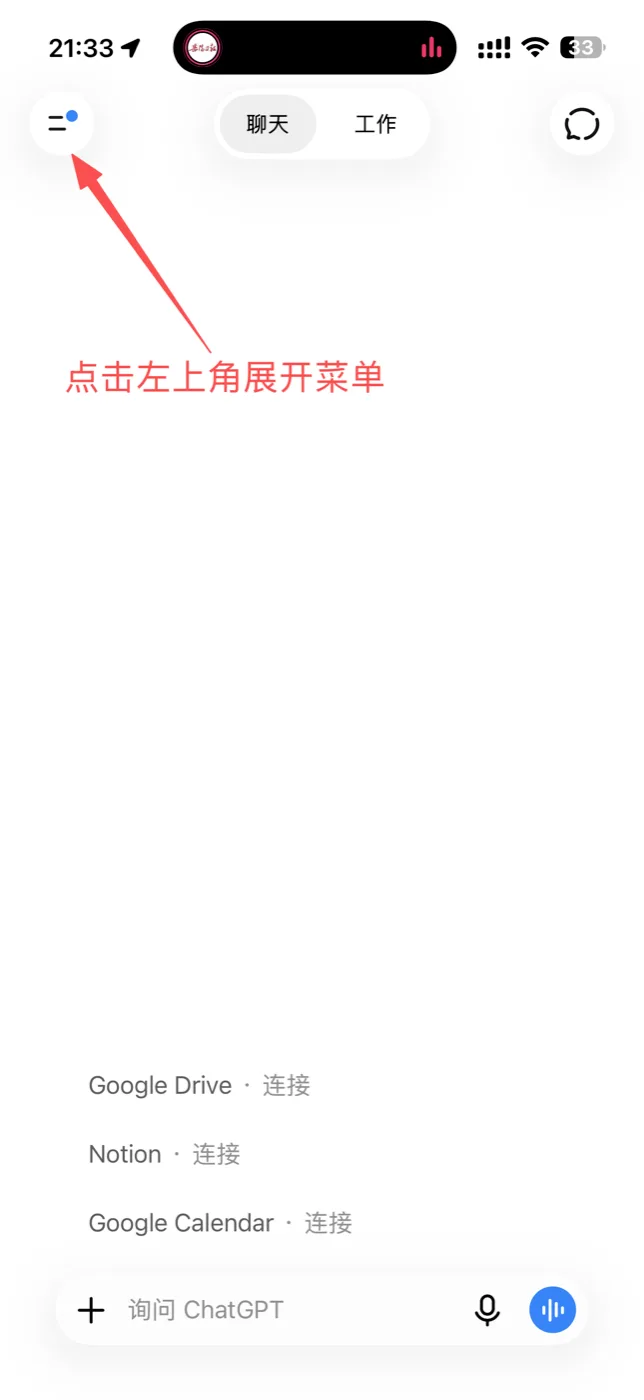
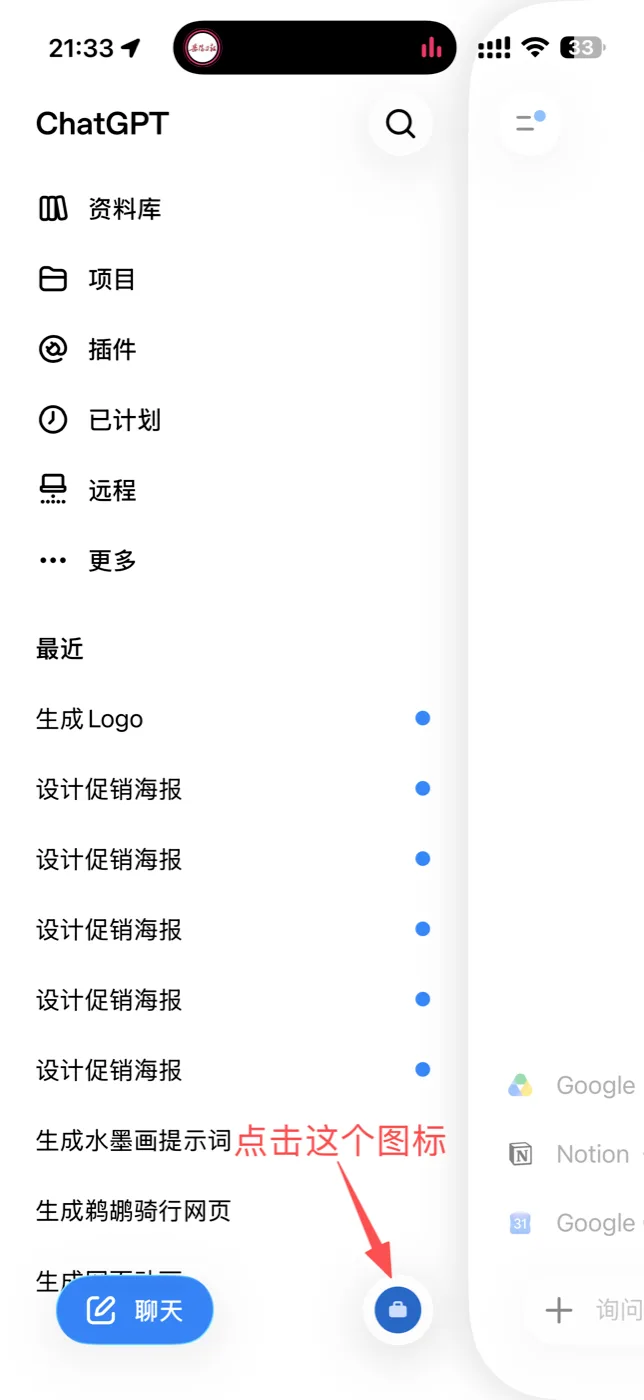
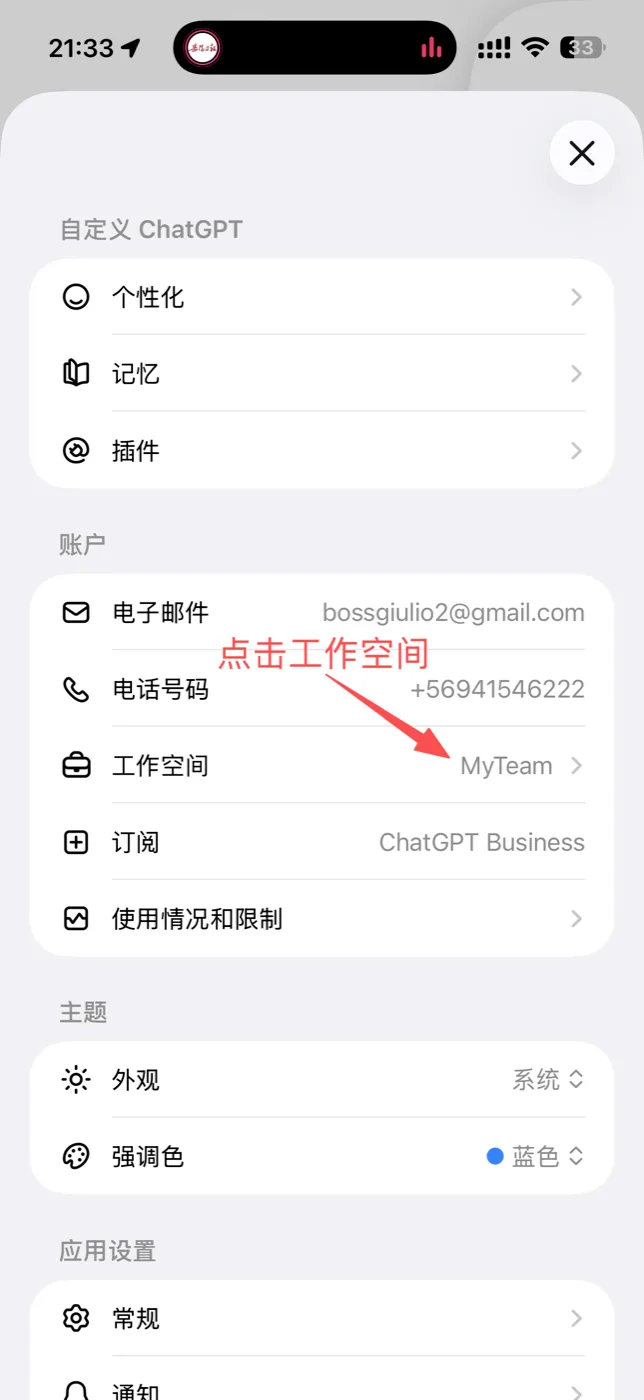
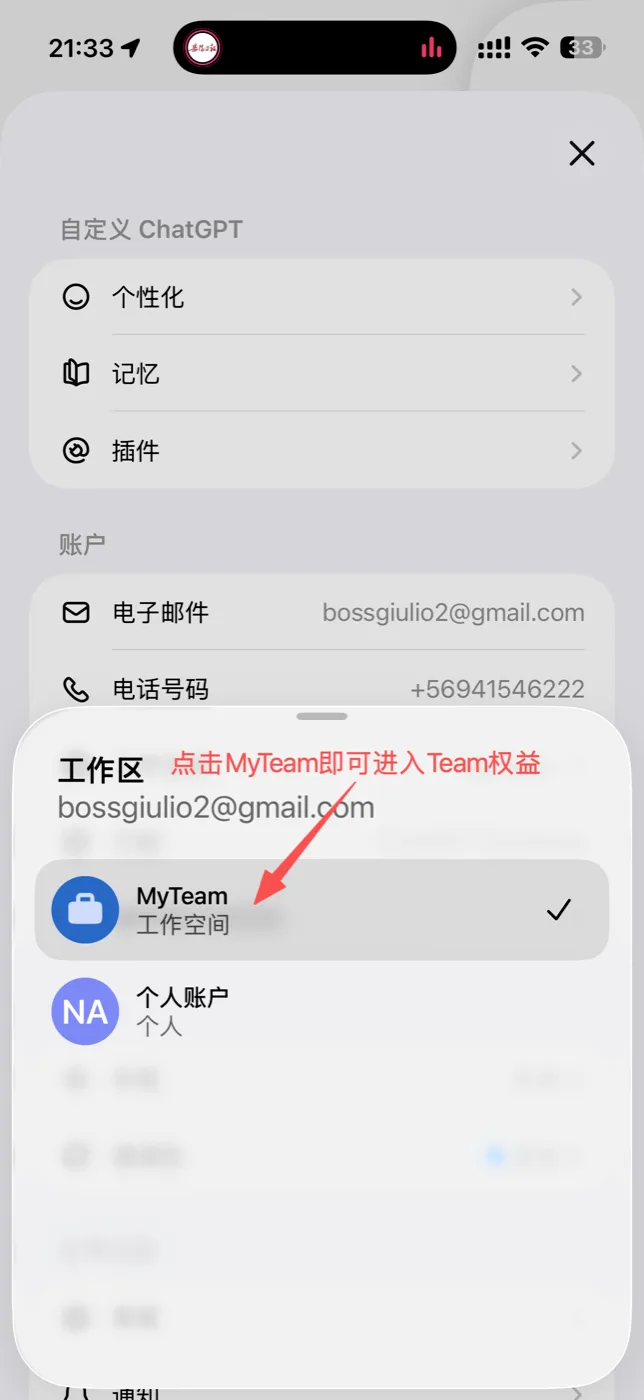
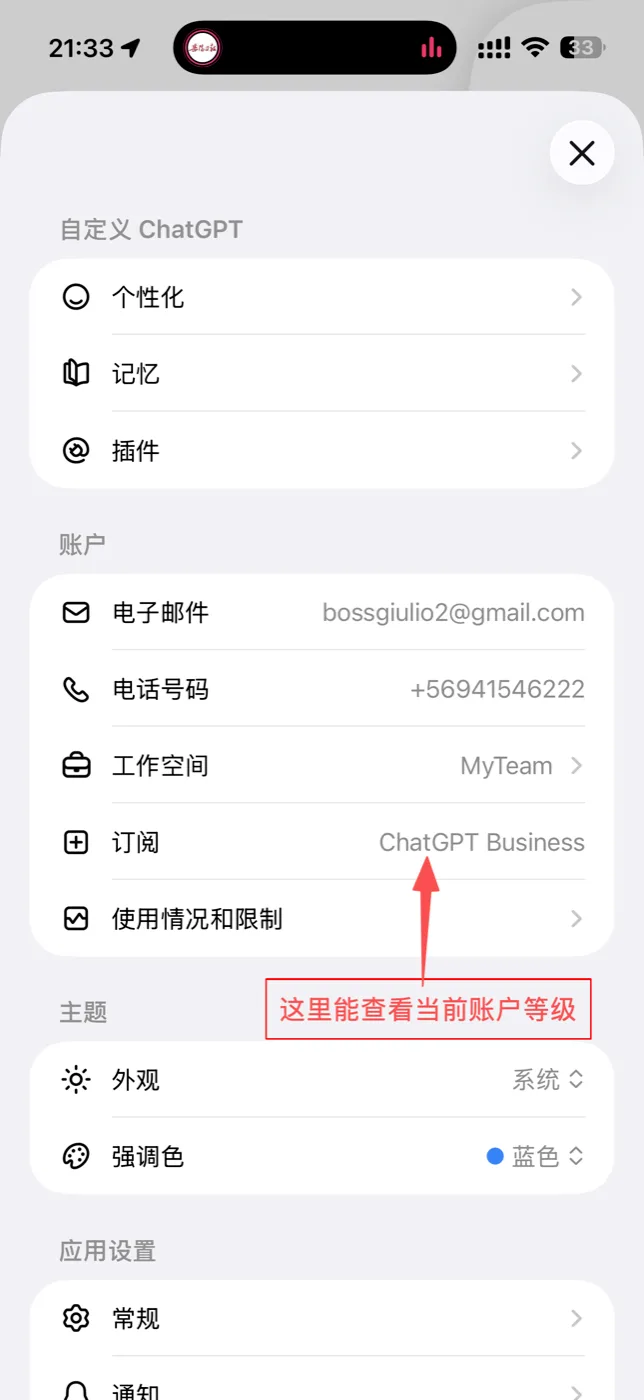
After paying or redeeming, refresh the page or sign out and back in and your plan updates. Switch workspaces to start using it — see how.
Long-term seats are billed monthly, renewable, and stay in the same Team — pick one if you plan to stay. Short-term seats only exist during a new Team's first month: the price is prorated by the days left on that Team (fewer days, lower price); the seat ends when they run out and cannot be renewed — good for a few weeks. Once you pick a seat, others see “someone is choosing”; it is released after 60 s of inactivity, and you have 5 minutes to pay after checkout.
Enter your ChatGPT account email and the redemption code. Once verified, a Team is reserved for you; you can switch to another one and confirm to join. The account cannot be changed after redeeming.
Look up my seats
Enter the email you redeemed or bought with to see every seat under it: long- or short-term, days left, which Team, and warranty status. If a Team breaks, switch here with one click.
Online orders for this email
The warranty covers Team failures, not leaving a Team on your own.
FAQ
How soon can I use it after paying?
Right after the Alipay payment succeeds, your ChatGPT account is added to the Team. Refresh the page or sign in again and switch to the Team workspace.
How long is the warranty?
As long as you pay for. If the Team breaks, switch to a new one with one click under “Orders / Warranty”.
Can I renew?
Long-term seats renew monthly and stay in the same Team with the expiry date extended. Short-term seats are priced by remaining days and cannot be renewed.